
Put a system in test mode with the monitoring station
GoSafer Security Knowledge Base
This operational reference is organized for GoSafer Security customers and staff. Alarm.com product names are retained where required for technical accuracy.
Overview
When a system is in test mode with the monitoring station, the monitoring station is not going to respond to alarms (i.e., dispatch police) from the system during that time.
| Platform | Mobile App |
|---|---|
| Content type | FAQ / Explanation |
| Source last updated | 2025-07-18 |
Procedure
Step-by-step guide: Screenshots and videos are placed with the instruction they illustrate.
When a system is in test mode with the monitoring station, the monitoring station is not going to respond to alarms (i.e., dispatch police) from the system during that time. This allows tests and system maintenance to be performed without having to worry about the police being dispatched.
This is particularly useful for troubleshooting sensors without triggering false alarms.
How does it work?
The system will send a signal to the monitoring station platform to flag the account for testing and will initiate the process for the duration selected. Once the selected time elapses, the account will automatically exit test mode.
To put a system in test mode:
Important: Only the primary login and secondary logins with master permissions can put the system on test mode. If you are logged in to these logins and still do not see the option, contact your service provider.
- Log in to the Alarm.com app.
- Tap Menu.
- Tap Monitoring Settings.
- Tap System Test Mode.
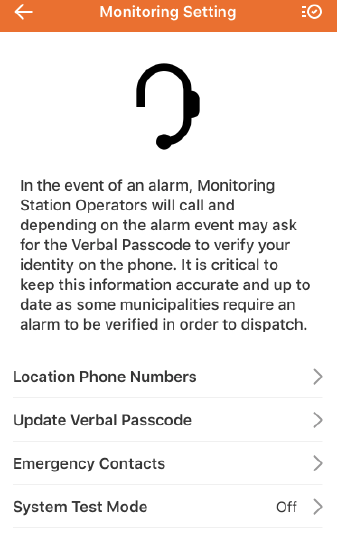
image2019 5 7 13 49 48
- Tap to select the test duration.
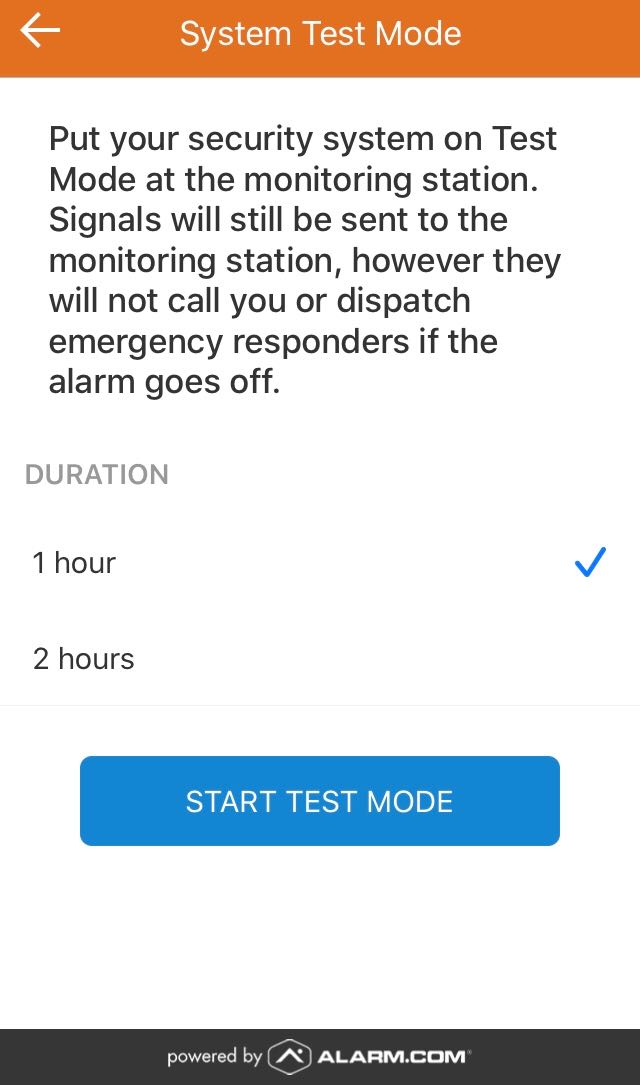.jpg?revision=1&size=bestfit&width=250&height=424)
Duration Options (1 and 2 Hour)
- Tap Start Test Mode.
- Tap Confirm.
- If test mode needs to be canceled before the duration expires, tap Stop Test Mode.
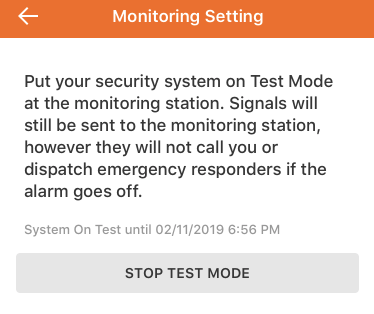
image2019 5 7 13 50 29
Source and support
For GoSafer Security assistance, visit gosafersecurity.com.
Original Alarm.com reference: https://answers.alarm.com/Customer/Website_and_App/System_Management/System_Usage/Put_a_system_in_test_mode_with_the_monitoring_station
Always verify safety, installation, compatibility, and current UI details against the original manufacturer documentation before operational use.
No comments to display
No comments to display