
What features are available with Connected Car on Alarm.com?
GoSafer Security Knowledge Base
This operational reference is organized for GoSafer Security customers and staff. Alarm.com product names are retained where required for technical accuracy.
Overview
Connected Car allows you to track your vehicle’s location, monitor its diagnostic health, and receive alerts for speeding, towing, and more—all from the Alarm.com Customer app.
| Platform | App + Web |
|---|---|
| Content type | How-to / Configuration |
| Source last updated | 2024-12-11 |
Procedure
Step-by-step guide: Screenshots and videos are placed with the instruction they illustrate.
The following features are available with Connected Car on Alarm.com.
Overview video
Connected Car allows you to track your vehicle’s location, monitor its diagnostic health, and receive alerts for speeding, towing, and more—all from the Alarm.com app. Plus, because the Car Connector uses a dedicated cellular connection and has a backup battery, you get 24/7 awareness, even when the car is parked and the engine is off.
If this video is blocked by the publisher's privacy settings, open it on the original Alarm.com article.
Self-Installation
Ready to use Alarm.com’s Connected Car? Follow this step-by-step guide that will walk you through how to install the Car Connector. Once the Car Connector is calibrated, you can track the vehicle’s location, view engine status, and analyze fuel efficiency – right from the Alarm.com mobile app.
For more information about installation, see Car Connector (ADC-3035L) - Installation Guide.
If this video is blocked by the publisher's privacy settings, open it on the original Alarm.com article.
Alarm.com Places
Connected Car allows you to automate smart home settings based on the location of your vehicle. Save time and money by enabling Location Services to automatically adjust lights and thermostats, pause video recordings, and send alerts when you’ve forgotten to close the garage or lock the front door.
When the Car Connector is added to the account, it is automatically added as a Geo-Device.
Note: Connected Car uses GPS accuracy, which allows for smaller Geo-Fences.
For more information about Alarm.com Places, see Configure Alarm.com Places.
If this video is blocked by the publisher's privacy settings, open it on the original Alarm.com article.
Home automation and alerts
The following home automation and alerts can be created when Alarm.com Places is configured:
- Trigger lights when the car's Geo-Device leaves or enters a Geo-Fence.
- For more information, see Create/edit an event-triggered light automation rule.
- Trigger thermostats when the car's Geo-Device leaves or enters a Geo-Fence.
- For more information, see Configure the Smart Away thermostat schedule.
- Pause video rules while the car's Geo-Device is within a Geo-Fence.
- For more information, see Create/edit an Alarm.com Places pause video recording rule.
- Send alerts if the car's Geo-Device leaves a Geo-Fence without closing the garage door, locking the front door, or arming the system.
- For more information, see Create/configure a notification.
- Receive location-based alerts when a vehicle on the Alarm.com account travels inside or outside a designated Geo-Fence.
- For more information, see Location Based Alerts for Connected Car and Connected Fleet.
Vehicle monitoring notifications
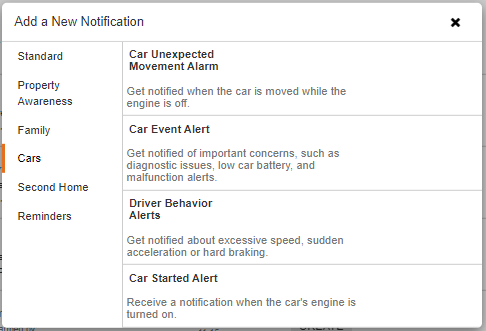
Connected Car allows you to monitor your vehicle’s location, diagnostics, and behavior. When you configure notifications, you’ll receive alerts about vehicle maintenance, unexpected movement, and more! Connected Car provides constant awareness and helpful insights, even when the car is parked with the engine off!
When adding a new notification, there is a new section for Cars. For more information about creating notifications, see Create/configure a notification.
If this video is blocked by the publisher's privacy settings, open it on the original Alarm.com article.
Thresholds for these alerts can be configured by going to the Car Settings page using the website or app. For more information about configuring settings, see Configure Connected Car Settings.
View real-time data
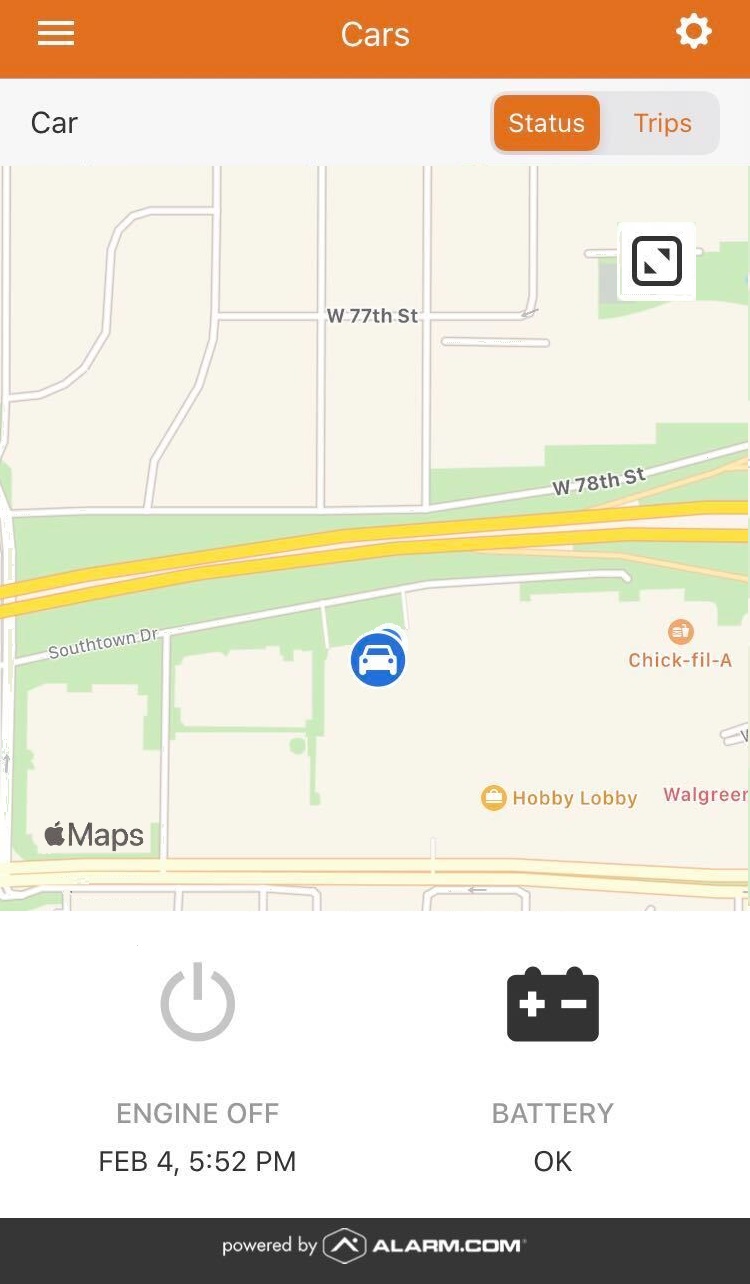
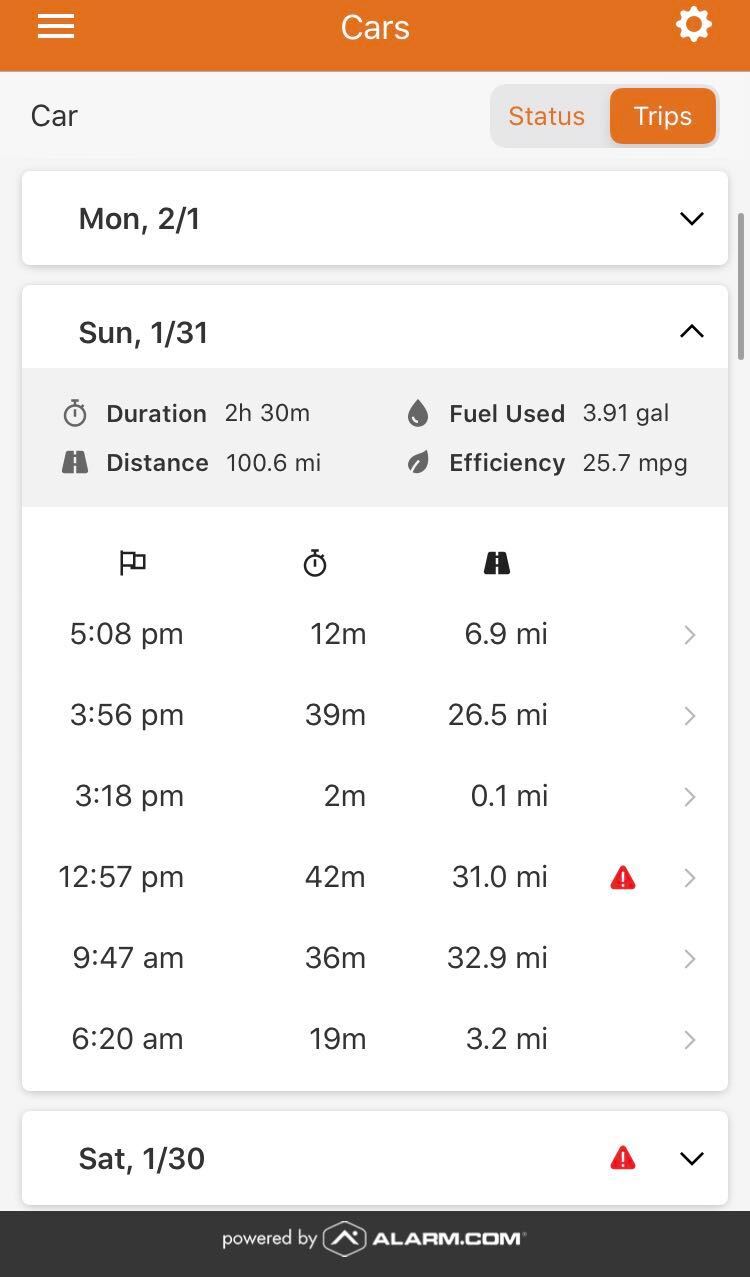
Maintenance alerts and real-time data in the mobile app help keep vehicles in good working order.
- Icn Car Checkengine Check Engine
- Icn Car Lowbattery Low Battery
- Icn Car Lowfuel Low Fuel
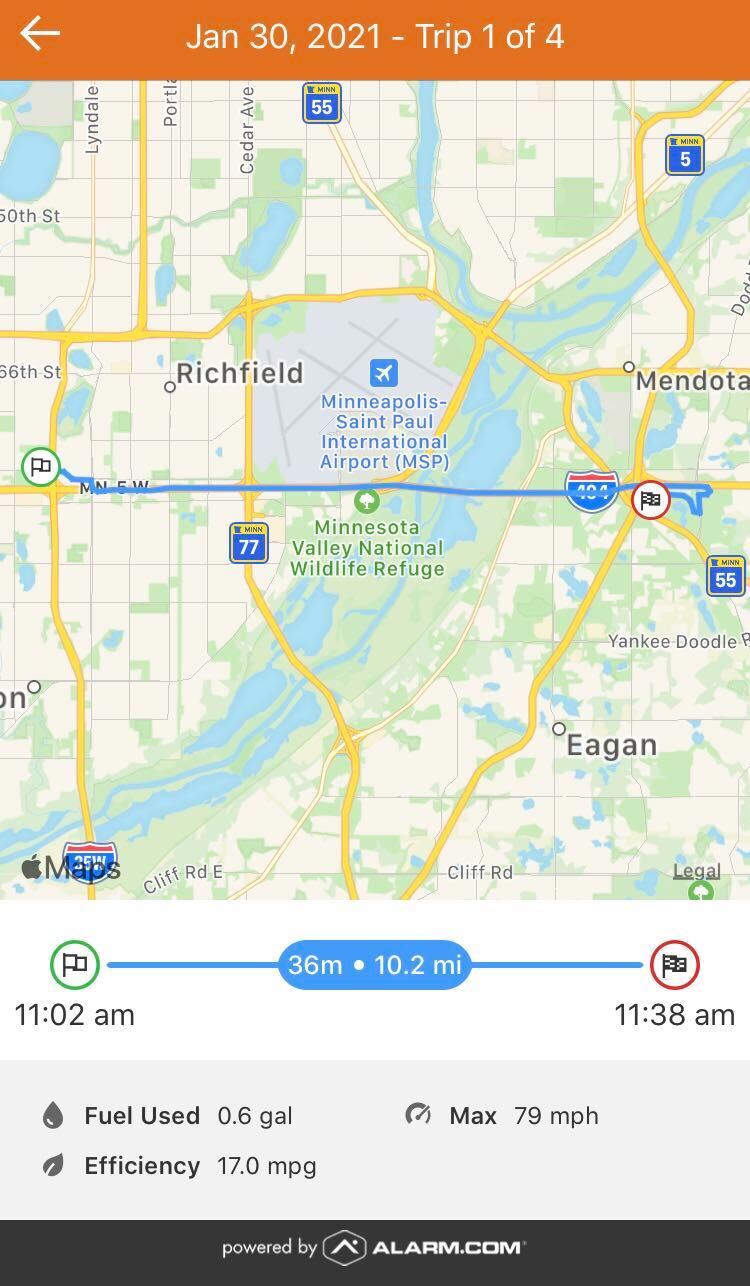
- Icn Car Location Pin Car Location and Trips
The following images display the Cars section on the app:
| Car Status | Car Trips | Car trip selection |
|
|
|
Source and support
For GoSafer Security assistance, visit gosafersecurity.com.
Original Alarm.com reference: https://answers.alarm.com/Customer/Website_and_App/Home_Automation/Connected_Car/What_features_are_available_with_Connected_Car_on_Alarm.com
Always verify safety, installation, compatibility, and current UI details against the original manufacturer documentation before operational use.
No comments to display
No comments to display