
How do I find mobile app version on my device?
GoSafer Security Knowledge Base
This operational reference is organized for GoSafer Security customers and staff. Alarm.com product names are retained where required for technical accuracy.
Overview
This is primarily a video or reference page. Open the original article link below for the current content.
| Platform | Mobile App |
|---|---|
| Content type | Reference |
| Source last updated | 2025-06-04 |
Procedure
Step-by-step guide: Screenshots and videos are placed with the instruction they illustrate.
Find the mobile app version
The mobile app version can be found on Android and iOS devices.
For more information about the device and version compatibility, see Which devices can the Alarm.com app work with?.
To find the mobile app version on an Android device:
- Log in to the Alarm.com app.
- Tap Menu.
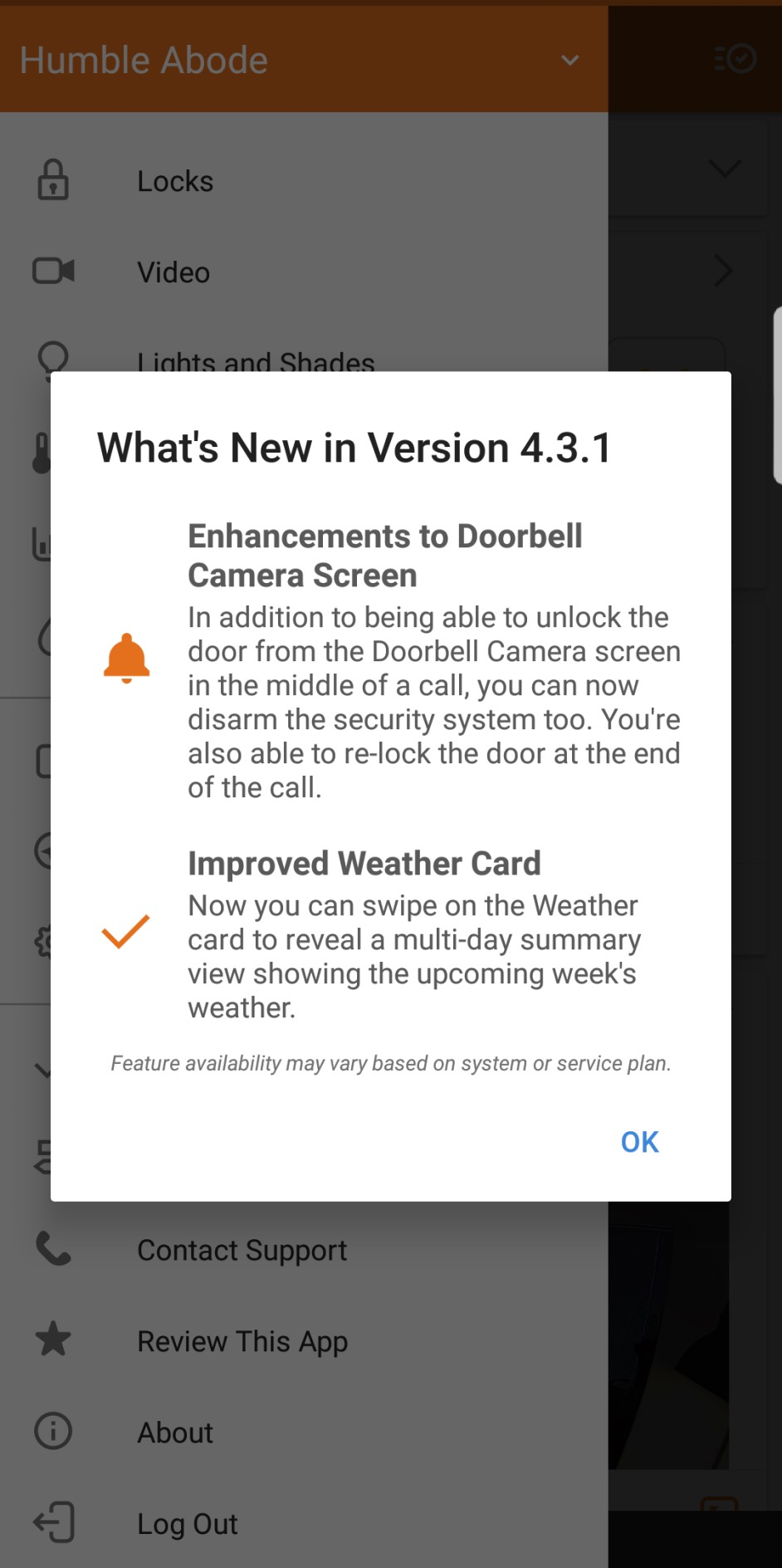
- Tap What's New.
In the following image, the app version is 4.3.1.
appversiona
To find the mobile app version on an iOS device:
- Log in to the Alarm.com app.
- Tap Menu.
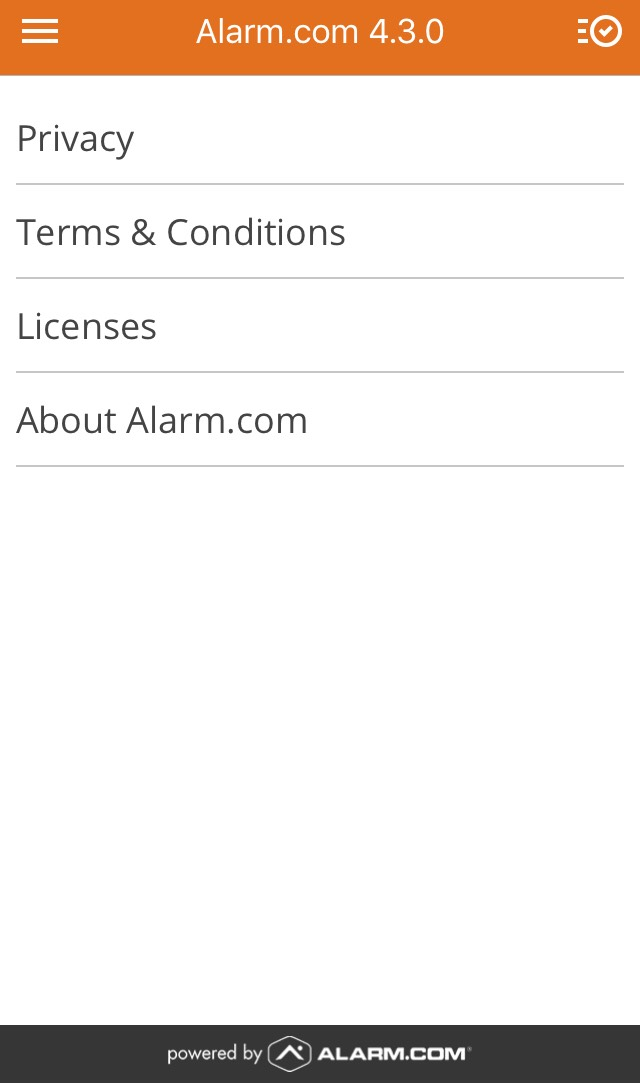
- Tap About.
In the following image, the app version is 4.3.0.
appversioni
Source and support
For GoSafer Security assistance, visit gosafersecurity.com.
Original Alarm.com reference: https://answers.alarm.com/Customer/Website_and_App/User_Management/Web_App_Users/How_do_I_find_mobile_app_version_on_my_device
Always verify safety, installation, compatibility, and current UI details against the original manufacturer documentation before operational use.
No comments to display
No comments to display