# How do I find mobile app version on my device?
**GoSafer Security Knowledge Base**
*This operational reference is organized for GoSafer Security customers and staff. Alarm.com product names are retained where required for technical accuracy.*
## Overview
This is primarily a video or reference page. Open the original article link below for the current content.
Platform
Mobile App
Content type
Reference
Source last updated
2025-06-04
## Procedure
**Step-by-step guide:** Screenshots and videos are placed with the instruction they illustrate.
### **Find the mobile app version**
The mobile app version can be found on Android and iOS devices.
For more information about the device and version compatibility, see [Which devices can the Alarm.com app work with?](https://answers.alarm.com/Partner/Installation_and_Troubleshooting/Website_and_Apps/General_Website_and_Apps_Information/Alarm.com_app_Device_compatibility).
### **To find the mobile app version on an Android device:**
1. Log in to the Alarm.com app.
2. Tap Menu.
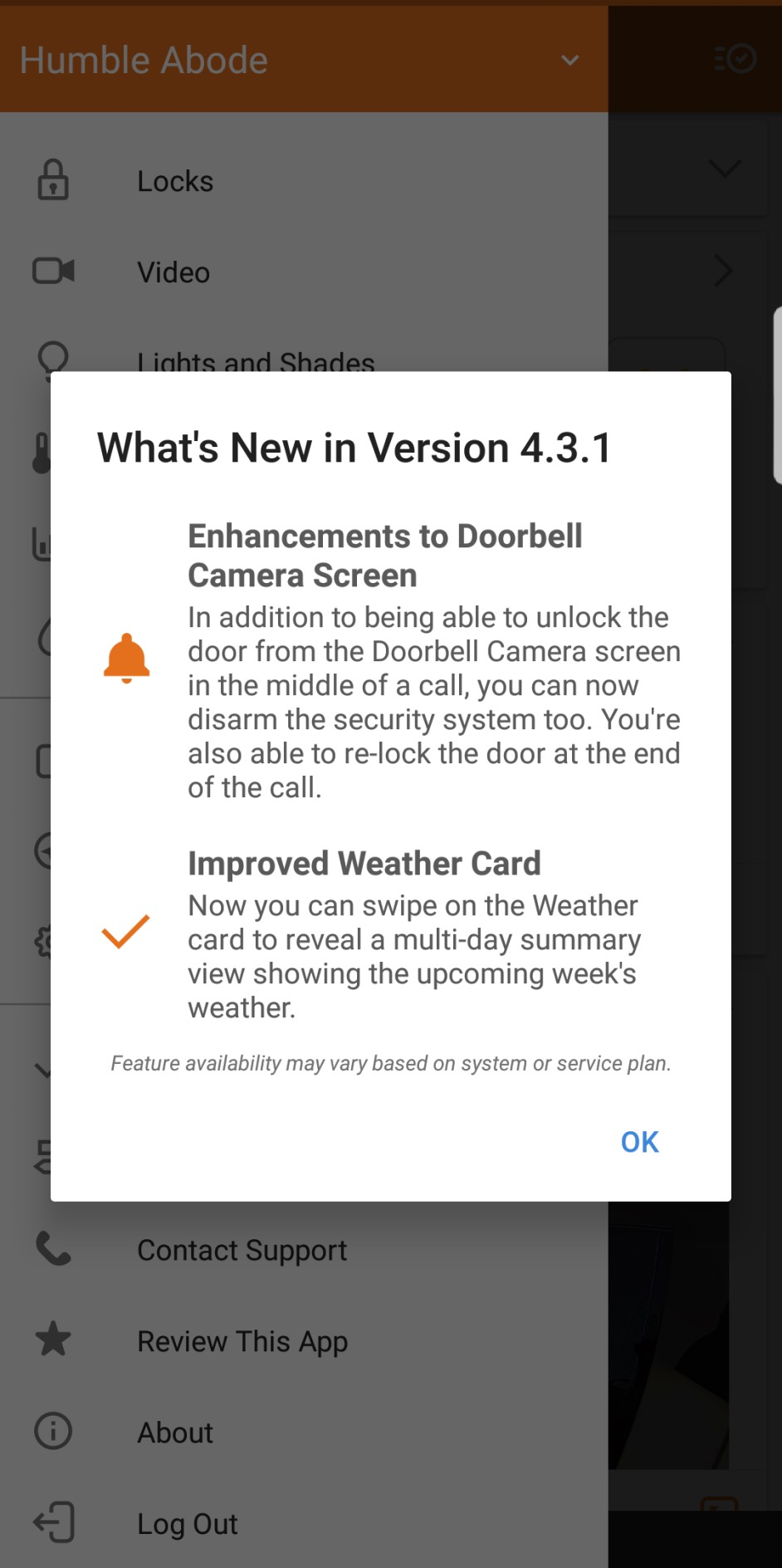
3. Tap **What's New**.
In the following image, the app version is 4.3.1.
appversiona
### **To find the mobile app version on an iOS device:**
1. Log in to the Alarm.com app.
2. Tap Menu.
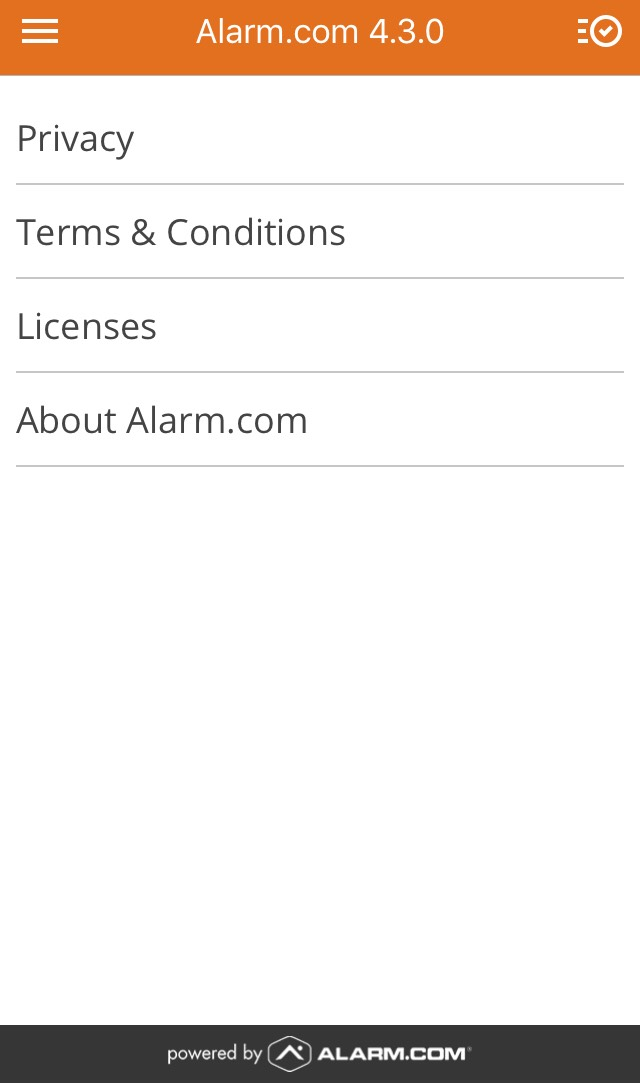
3. Tap **About**.
In the following image, the app version is 4.3.0.
appversioni
## Source and support
For GoSafer Security assistance, visit [gosafersecurity.com](https://gosafersecurity.com/).
Original Alarm.com reference: [https://answers.alarm.com/Customer/Website\_and\_App/User\_Management/Web\_App\_Users/How\_do\_I\_find\_mobile\_app\_version\_on\_my\_device](https://answers.alarm.com/Customer/Website_and_App/User_Management/Web_App_Users/How_do_I_find_mobile_app_version_on_my_device)
Always verify safety, installation, compatibility, and current UI details against the original manufacturer documentation before operational use.