
Santa Security
GoSafer Security Knowledge Base
This operational reference is organized for GoSafer Security customers and staff. Alarm.com product names are retained where required for technical accuracy.
Overview
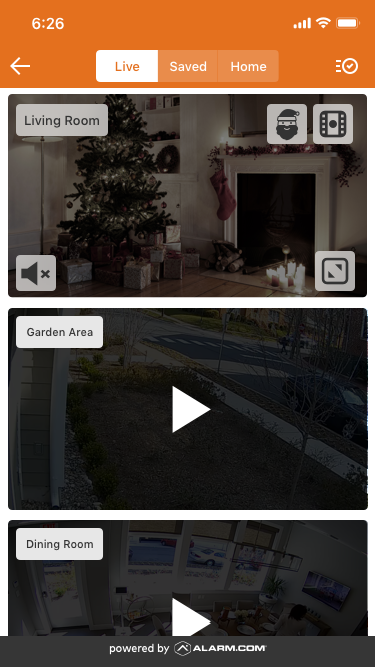
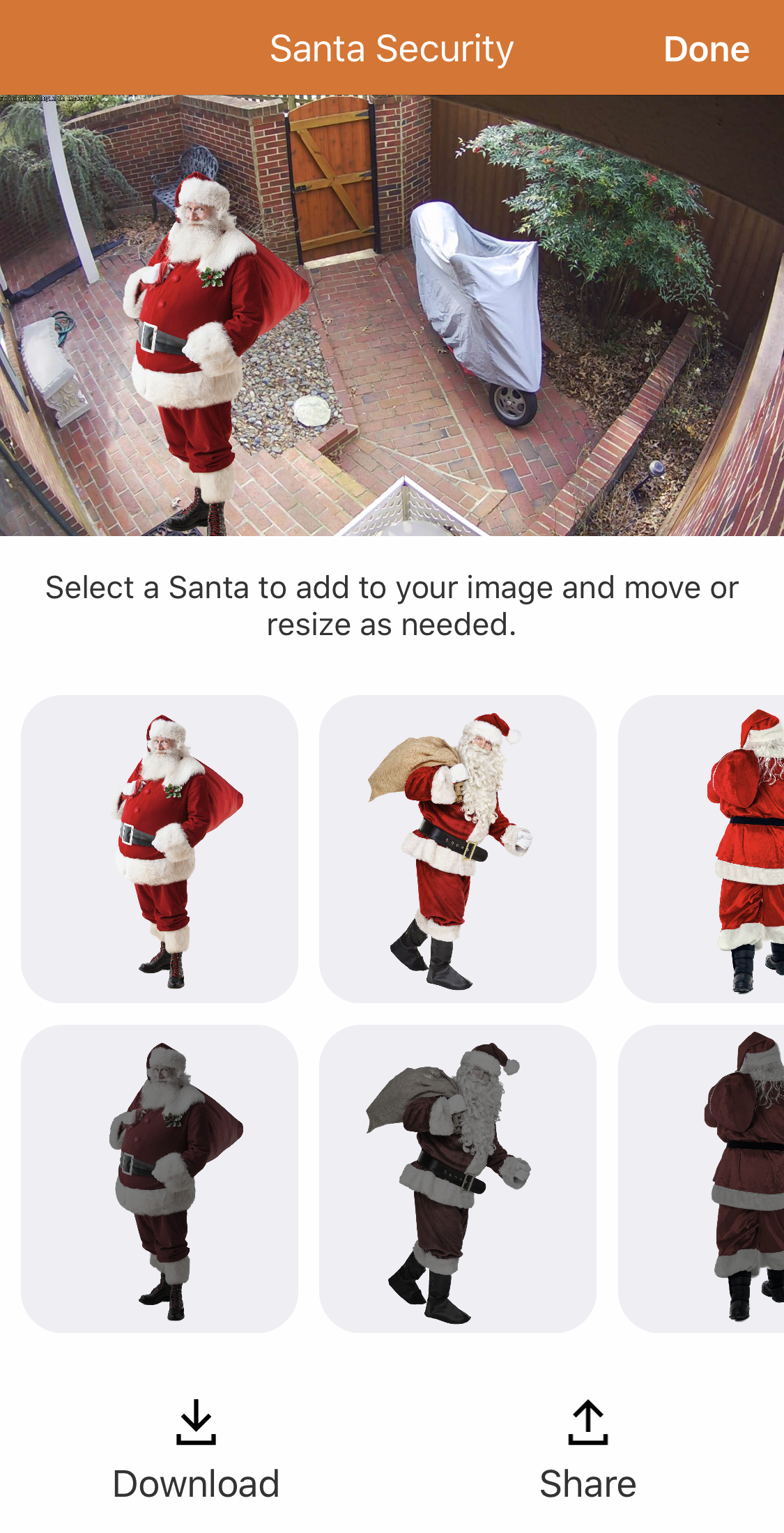
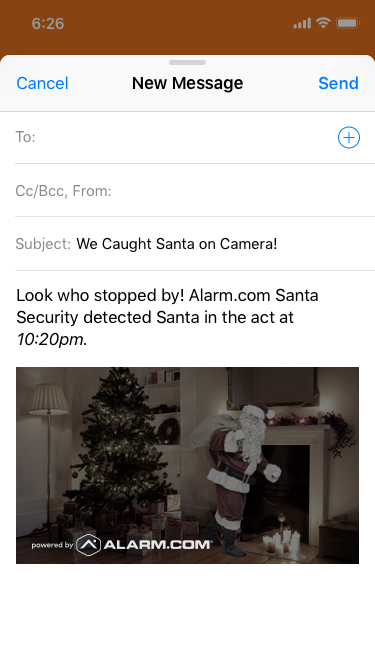
Catch Santa visiting your home this year with the Alarm.com Santa Security feature. For a limited time, you can take snapshots using compatible cameras, insert an image of Santa, and send the …
Procedure
Step-by-step guide: Screenshots and videos are placed with the instruction they illustrate.
Make holiday memories extra magical this year with Alarm.com's Santa Security feature. For a limited time, you can capture the wonder by snapping enchanting photos of Santa making a special visit to your home. Choose your favorite festive sticker from the expanded image gallery, move it around so it's just right, and share the evidence with your loved ones. Spread holiday cheer and boost engagement with this fun, interactive feature!
Between December 1–31, 2025 you will be able to:
Note: The first time you tap on a Live Video feed, a pop-up window will explain how to catch Santa on camera.
What is required to use Alarm.com Santa Security?
ADC-VDB750*
ADC-VDB755P*
ADC-VDB770*
ADC-VDB775*
ADC-VDB780B*
*Important:Important: Customer accounts with only Video Doorbells enrolled do not support Santa Security because the Video Card does not display on the Alarm.com app dashboard for those accounts. Video Doorbells are only compatible with Santa Security if the customer account has an additional video device other than a doorbell installed on the account.
How to use Santa Security
Santa Security interface example video
If this video is blocked by the publisher's privacy settings, open it on the original Alarm.com article.
To catch Santa using the Alarm.com appapp:
[
Note:
[Santa Security 2022]
[V3
Source and support
For GoSafer Security assistance, visit gosafersecurity.com.
Original Alarm.com reference: https://answers.alarm.com/Customer/Website_and_App/Video/Live_Video/Santa_Security
Always verify safety, installation, compatibility, and current UI details against the original manufacturer documentation before operational use.