View which user sent remote commands to the system
GoSafer Security Knowledge Base
This operational reference is organized for GoSafer Security customers and staff. Alarm.com product names are retained where required for technical accuracy.
Overview
When a remote command (i.e., arming/disarming, etc.) is sent from the app or website, the user's login name that sent the command appears in the activity history.
| Platform | App + Web |
|---|---|
| Content type | Reference |
| Source last updated | 2025-11-07 |
Procedure
Step-by-step guide: Screenshots and videos are placed with the instruction they illustrate.
When a remote command (e.g., arming/disarming, etc.) is sent from the GoSafer Security customer portal (powered by Alarm.com) or Alarm.com app, the user's login name that sent the command appears in the activity history.
Note: Remote arming and disarming commands use the master user's code. Therefore, the activity history will display the remote command from the user's login name along with an arm or disarm event from the master user.
It is recommended to create a separate login for each user who is going to be sending remote commands to the system. For more information about creating logins, see Create a new login.
For information about navigating to the activity history, see View the system activity history.
Examples of activity
The following examples are of how arming/disarming appears in the activity history on the Alarm.com app and GoSafer Security customer portal (powered by Alarm.com) when it is armed/disarmed remotely versus locally.
Note: Remote commands can also be sent using voice integration (e.g., Siri voice shortcuts, Amazon Alexa, etc.) and an Apple Watch. In the Event History, Alexa commands will display as Voice [login name] command, Siri voice shortcuts will display as [login name] command, and Apple Watch commands will display as Apple Watch [login name] command. For more information about voice commands, see Voice device feature comparisons.
Example of activity on the Alarm.com appIcn Chevron Up
| Remote arming | Locally arming |
|---|---|
|
In the following example, the user's login name sending the remote command is exampleuser. 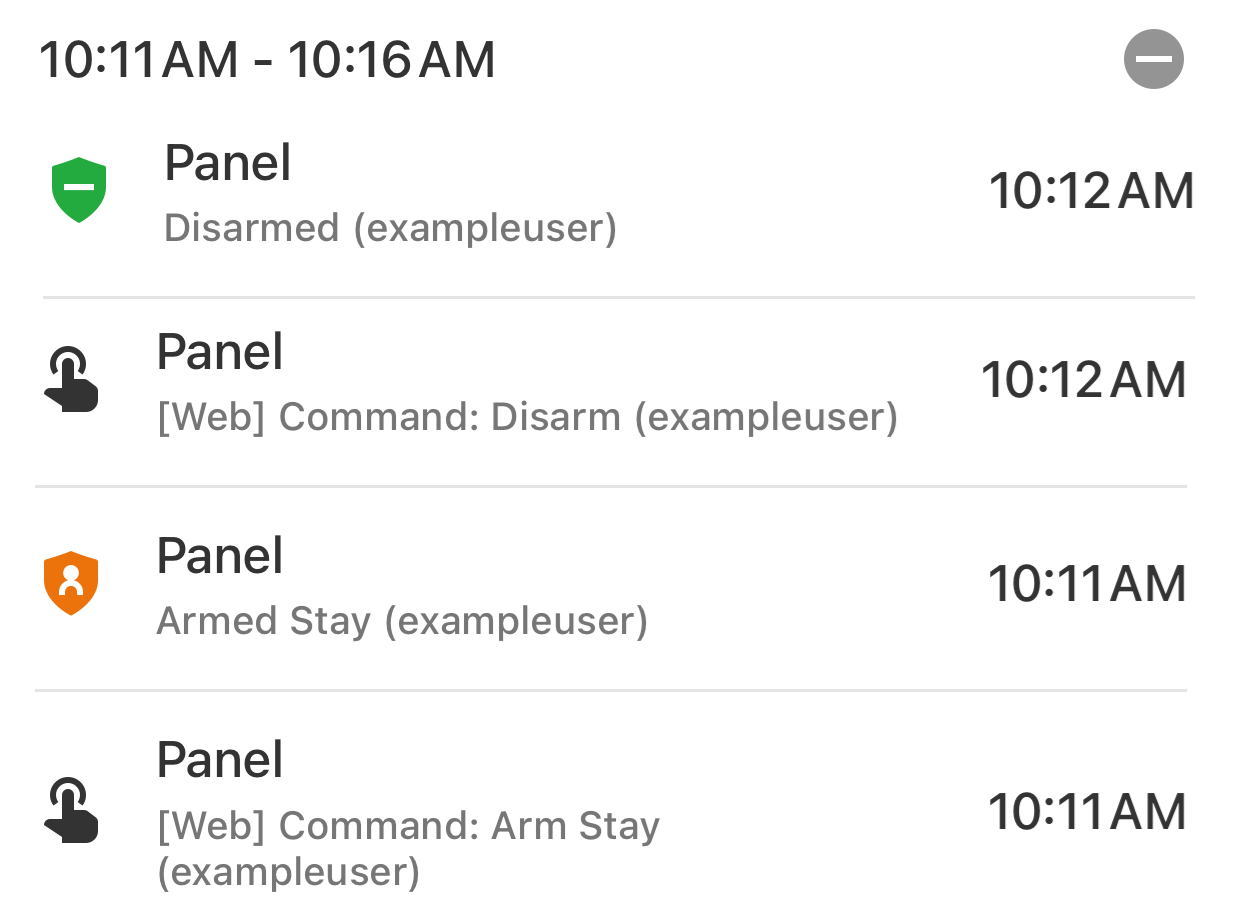 |
In the following example, the name associated with the user code disarming the system is exampleuser. 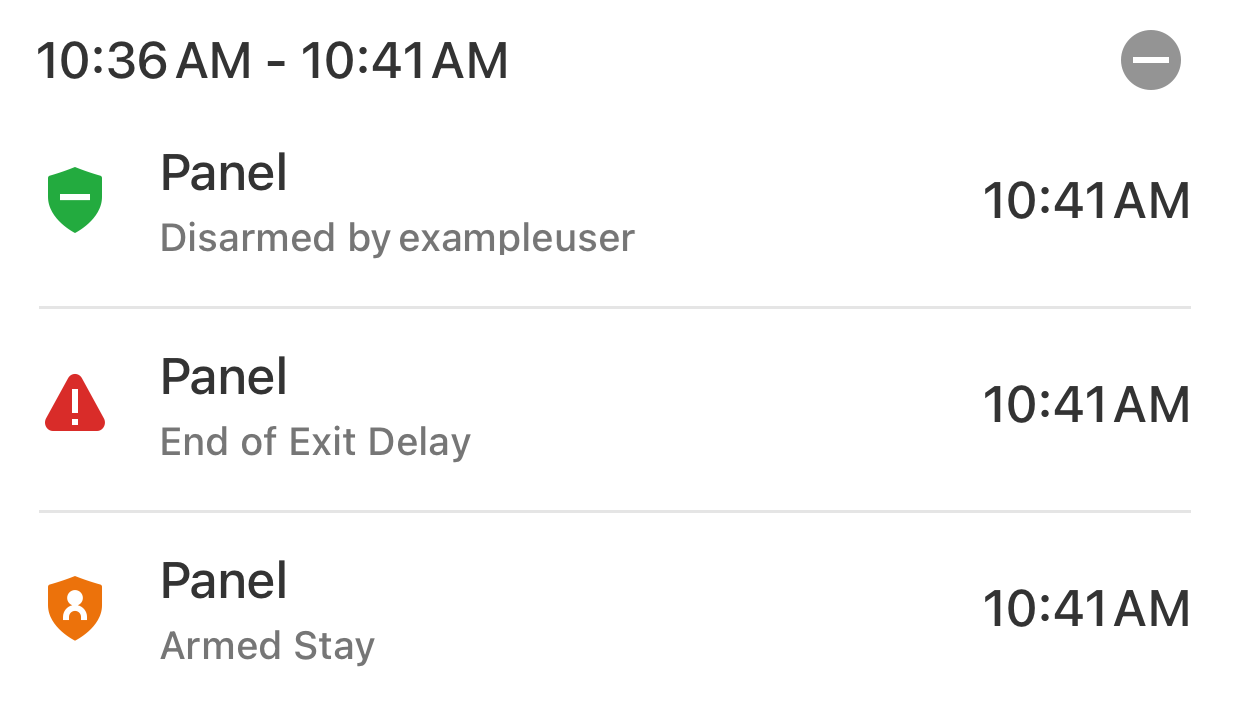 |
Example of activity on the GoSafer Security customer portal (powered by Alarm.com)
Icn Chevron Up
| Remote arming | Locally arming |
|---|---|
|
In the following example, the user's login name sending the remote command is exampleuser.  |
In the following example, the name associated with the user code disarming the system is exampleuser. 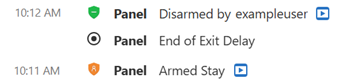 |
Source and support
For GoSafer Security assistance, visit gosafersecurity.com.
Original Alarm.com reference: https://answers.alarm.com/Customer/Website_and_App/System_Management/System_History/View_which_user_sent_remote_commands_to_the_system
Always verify safety, installation, compatibility, and current UI details against the original manufacturer documentation before operational use.