Package Alerts for Alarm.com Video Doorbells
GoSafer Security Knowledge Base
This operational reference is organized for GoSafer Security customers and staff. Alarm.com product names are retained where required for technical accuracy.
Overview
Be the first to know when a package is delivered to your home or business with Package Alerts for the Alarm.com Video Doorbell (ADC-VDB770).
| Platform | App + Web |
|---|---|
| Content type | How-to / Configuration |
| Source last updated | 2025-12-01 |
Procedure
Step-by-step guide: Screenshots and videos are placed with the instruction they illustrate.
Be the first to know when a package is delivered to your home or business with Package Alerts for the Alarm.com Video Doorbell (ADC-VDB770) and Alarm.com Premium Video Doorbell Camera (ADC-VDB775). Using Video Analytics, the ADC-VDB770 and ADC-VDB775 can identify when a visitor leaves a parcel on your doorstep—notifying you immediately.
Package Alerts can be configured to notify you right when a delivery is made, remind you if the box is not picked up, or alert you if it goes missing. The feature can be set up in seconds from the Recording Rules section of the GoSafer Security customer portal (powered by Alarm.com) and Alarm.com app.
For more information about configuring a Video Analytics rule, see Configure a Video Analytics rule.
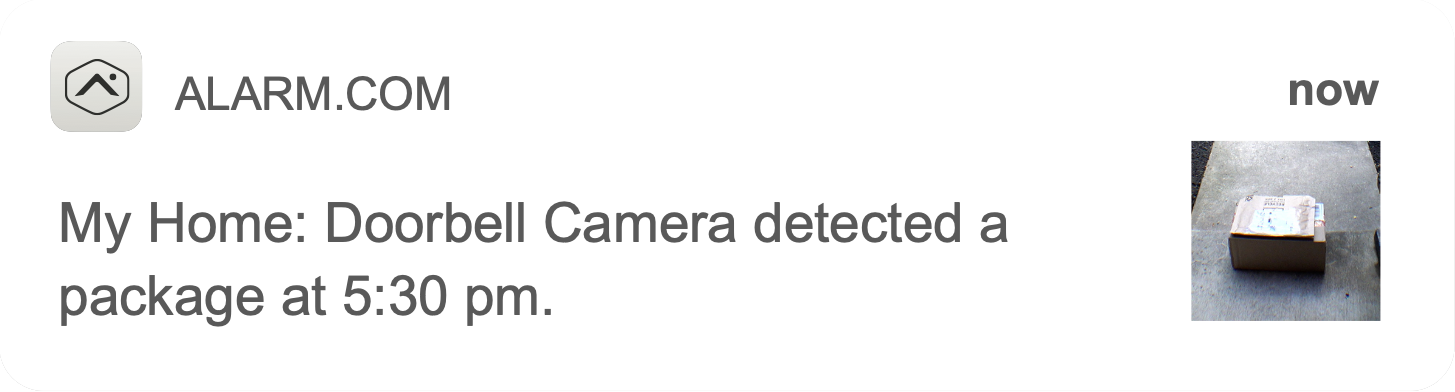
Feature details
- Quick and easy set up as part of any ADC-VDB770 or ADC-VDB775 recording rule
- Separate notifications for when the package is delivered and removed
- Can be configured for SMS, email, and push notifications
- A delivery notification is a package alert with a thumbnail of the parcel
- A removal notification is a person alert with a thumbnail of the individual
- Package events are searchable on the SVR and 24/7 Onboard Recording timelines, as well as Saved Clips
- Clips of package deliver and remove events can be easily viewed in Highlights
Configure Package Alerts for the ADC-VDB770 and ADC-VDB775
People detection recording rules are automatically created when a doorbell is installed, but they are disabled by default. You can enable and configure these recording rules to utilize Package Alerts using the Alarm.com app and GoSafer Security customer portal (powered by Alarm.com).
For the Alarm.com Video Doorbell (ADC-VDB770):Icn Chevron Up
Alarm.com app
- Log in to the Alarm.com app.
- Tap Video.
- Tap Settings.
- Tap Recording Rules.
- Tap Edit to edit the desired recording rule.
- In Notification triggers:
- Tap the Package Delivery toggle switch to enable notifications when a person has left a package in the camera's field of view.
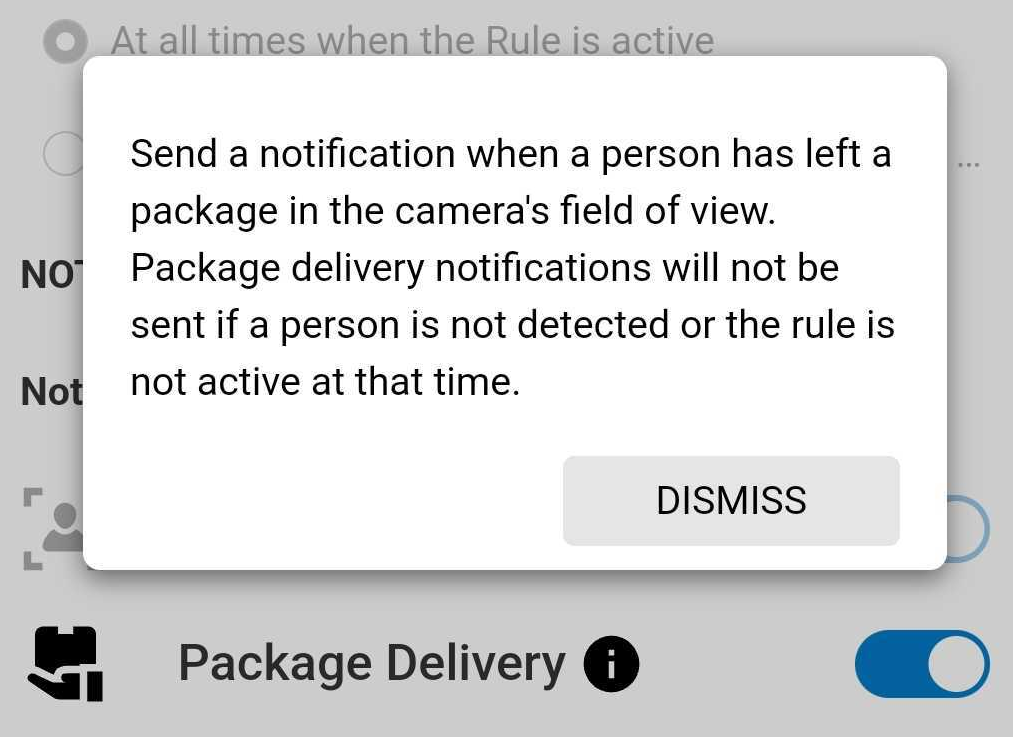
Package Delivery toggle app
- Tap the Package Retrieval toggle switch to enable notifications when a person has removed a package from a camera's field of view.
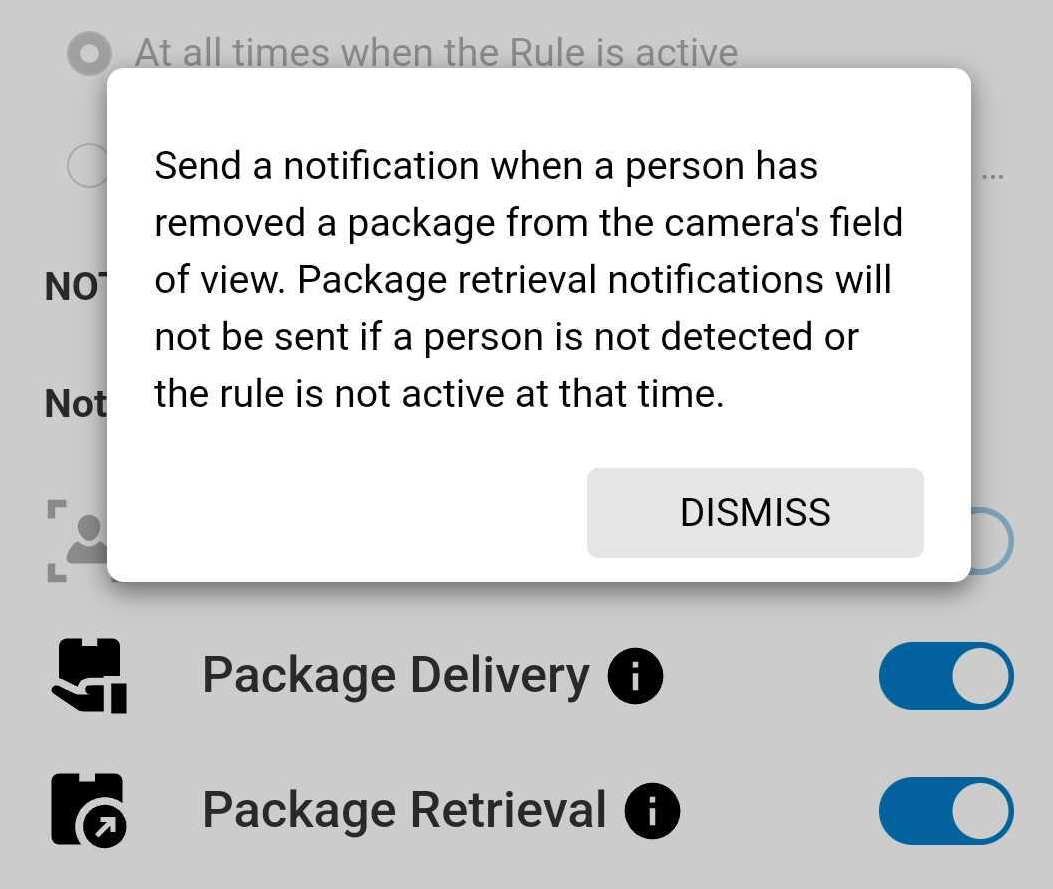
Package Retrieval toggle app
- Tap the Package Delivery toggle switch to enable notifications when a person has left a package in the camera's field of view.
- Configure the recording rule as desired.
- Tap Save.
GoSafer Security customer portal (powered by Alarm.com)
- Log in to the GoSafer Security customer portal (powered by Alarm.com).
- Click Video.
- Click Recording Rules.
- Click Edit to edit the desired recording rule.
- In Notification triggers:
- Click the Package Delivery toggle switch to enable notifications when a person has left a package in the camera's field of view.
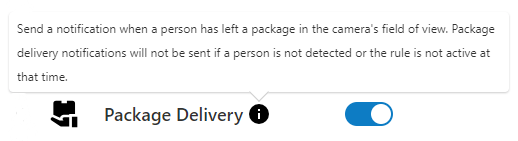
Package Delivery toggle
- Click the Package Retrieval toggle switch to enable notifications when a person has removed a package from the camera's field of view.
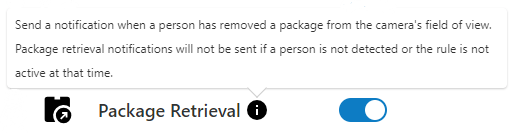
Package Retrieval toggle
- Click the Package Delivery toggle switch to enable notifications when a person has left a package in the camera's field of view.
- Configure the recording rule as desired.
- Click Save.
For the Alarm.com Premium Video Doorbell Camera (ADC-VDB775):Icn Chevron Up
Alarm.com app
- Log in to the Alarm.com app.
- Tap Video.
- Tap Settings.
- Tap Recording Rules.
- Tap Edit to edit the desired recording rule.
- In Notification triggers:
- Tap the Package Delivery toggle switch to enable notifications when a person has left a package in the camera's field of view.
Package Delivery toggle app
- Tap the Package Retrieval toggle switch to enable notifications when a person has removed a package from a camera's field of view.
Package Retrieval toggle app
- Tap the Package Delivery toggle switch to enable notifications when a person has left a package in the camera's field of view.
- Configure the recording rule as desired.
- Tap Save.
GoSafer Security customer portal (powered by Alarm.com)
- Log in to the GoSafer Security customer portal (powered by Alarm.com).
- Click Video.
- Click Recording Rules.
- Click Edit to edit the desired recording rule.
- In Notifications:
- Click Package Delivery to enable notifications when a person has left a package in the camera's field of view.
- Click Package Retrieval to enable notifications when a person has removed a package from the camera's field of view.
- Configure the recording rule as desired.
- Click Save.
View Package Alert saved video clips
Saved video clips can be filtered to search for Package Alerts using the GoSafer Security customer portal (powered by Alarm.com) and Alarm.com app.
Alarm.com app
- Log in to the Alarm.com app.
- Tap Video.
- Tap Saved.
- Tap Filter.
- Using the Cameras dropdown menu, select the desired video doorbell and any other desired parameters for the search.
- Tap Apply.
GoSafer Security customer portal (powered by Alarm.com)
- Log in to the GoSafer Security customer portal (powered by Alarm.com).
- Click Video.
- Click Saved Video Clips.
- Click Filter.
- Using the Cameras dropdown menu, select the desired video doorbell and any other desired parameters for the search.
- Click Apply.
Source and support
For GoSafer Security assistance, visit gosafersecurity.com.
Original Alarm.com reference: https://answers.alarm.com/Customer/Website_and_App/Video/Video_Settings/Package_Alerts_for_the_Alarm.com_Video_Doorbell_(ADC-VDB770)
Always verify safety, installation, compatibility, and current UI details against the original manufacturer documentation before operational use.